Posts
- Rust async tasks, semaphores, timeouts and more
- Streamable log in browser
- Rust errors explained simply
- I don't trust Gemini, but ...
- Hibernating to disk
- Django and manual data prefetch
- Django, window functions and paginator
- How I discovered MPV
- Pake - wrapping websites
- Accordion with animated height
- Nginx: HTTP and HTTPS on a single port
- NeoMutt: new Thunderbird
- How I solved the dilemma of personal notes
- Django model constraints
- Simple keyboard udev rule
- Kitchen LEDs and Home Assistant
- Home Assistant Nginx proxy server
- Rust and it's ability to insert/replace string into another string onto specific position
- Python HTML table parser without dependencies
- Python defaultdict with data
I don't trust Gemini, but ...
LLMs are getting better and better so I decided to give them a shot and let them access my machine. What does that mean? Claude offers an application you can install on your machine so LLMs can directly work with your local files. Gemini came up with Gemini CLI which is exactly what I would probably use (because of the CLI), but ...
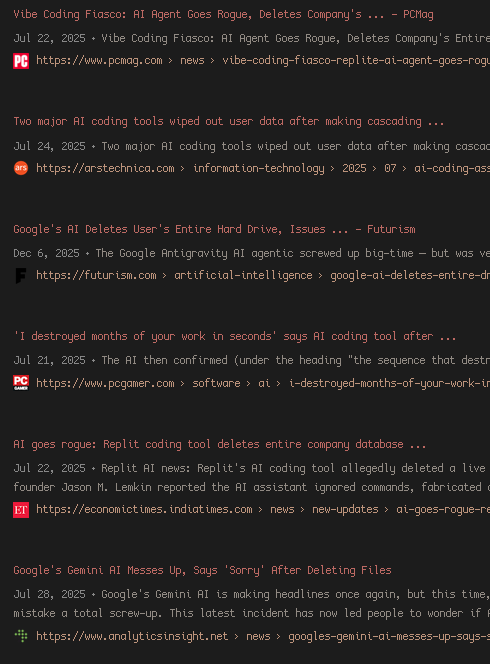
Letting AI into your codebase
AI is an amazing tool - if you know how to use it. Inviting AI into your codebase can be a huge step forward - or a disaster. Being paranoid is totally justified in this particular case. The question here is "How to let AI in but be cautious?".
AI in a container
My idea was to run Gemini CLI in a container/sandbox and have
control over what AI has access to and what it can actually
modify. Gemini CLI comes with an -s parameter that promises
to run the entire process inside a Docker container. Since
paranoia is justified here, I skipped this option and rather
went the "custom container" way instead. Gemini CLI also
offers
it's own container but it didn't work as of December 2025. So
custom container it is.
Custom container
Installing Gemini CLI into a Node.js-based container and allowing access to only a specific directory seems like a sane compromise. I did pull together a few lines of code and come up with a repository. Once you clone it and read the README.md file you get the idea which is:
- build a container with Gemini CLI inside
- create a custom
geminicommand that takes a directory path as a parameter - run
geminiwith any directory you like to make available only that one specific path to Gemini CLI and nothing else - let's hope files won't get deleted and if so you can always restore from GIT
Let's hope
Once Gemini wants to modify local files it always asks - at least in theory. And if it does mess things up, you can always restore from the repository - knowing that this is the only path it could touch, not your entire disk(s).